I have been building with AI agents and MCP tools for a while now, and one question kept coming up: how do you give an agent real, authenticated access to AWS without handing it the keys to the kingdom? Today, there is an answer.
I’m happy to announce the general availability of the AWS MCP Server, a managed remote Model Context Protocol (MCP) server that gives AI agents and coding assistants secure, authenticated access to all AWS services through a small, fixed set of tools.
The AWS MCP Server is part of the Agent Toolkit for AWS, a suite of tooling that includes the MCP Server, skills, and plugins that help coding agents build more effectively and efficiently on AWS.
AI coding agents are already useful for many tasks, but they run into real trouble when working with AWS at any meaningful depth. Without access to current AWS documentation, agents rely on training data that may be months out of date and may not know about services like Amazon S3 Vectors, Amazon Aurora DSQL, or Amazon Bedrock AgentCore. When asked to build infrastructure, they tend to reach for the AWS Command Line Interface (AWS CLI) rather than AWS Cloud Development Kit (AWS CDK) or AWS CloudFormation, and they produce AWS Identity and Access Management (IAM) policies that are far broader than necessary. The result is infrastructure that works in a demo but is not production-ready.
The AWS MCP Server addresses this through a compact set of tools that do not consume your model’s context window. The call_aws tool executes any of the 15,000+ AWS API operations using your existing IAM credentials. When we will launch new APIs, they will be supported within days. The search_documentation and read_documentation tools retrieve current AWS documentation and best practices at query time, so the agent always works from up-to-date information.
With general availability, we are introducing several new capabilities. The AWS MCP Server now supports IAM context keys, so you no longer need a separate IAM permission to use the server and can express fine-grained access in a standard IAM policy. Documentation retrieval no longer requires authentication. We have also reduced the number of tokens required per interaction, which matters for complex, multi-step workflows.
Also new, the run_script tool lets the agent write a short Python script that runs server-side in a sandboxed environment. The sandbox inherits your IAM permissions but has no network access, so you can give an agent the ability to process data without giving it access to your local file system or a shell. When an agent needs to call multiple APIs and combine the results, making them one at a time is slow and burns context. With run_script, the agent chains API calls, filters responses, and computes results in a single round-trip, which is both faster and more context-efficient.
The most significant addition is the transition from Agent SOPs to Skills. Skills provide curated guidance and best practices for the tasks where agents most commonly make mistakes. This helps agents complete work faster, using validated best practices, with fewer errors and fewer tokens — all of which saves you time and money. Skills are contributed and maintained by AWS service teams. This keeps the tool list short and predictable, which reduces hallucination and keeps the agent focused.
For enterprise customers, the AWS MCP Server provides a clear separation between human and agent permissions. You can use IAM policies or Service Control Policies to specify that a given user can perform mutating operations while the MCP server is restricted to read-only actions. Amazon CloudWatch metrics published under the AWS-MCP namespace let you observe MCP server calls separately from direct human calls, giving you the audit trail that compliance teams require. Amazon CloudTrail captures all API calls for a complete record.
Let’s see it in action
For this demo, I chose to use Claude Code, but I can use the AWS MCP Server with any AI agent that supports MCP, which is basically all tools available today: Kiro CLI, Kiro, Cursor, Codex, and more. I configure Claude Code to use the Anthropic Opus 4.6 model.
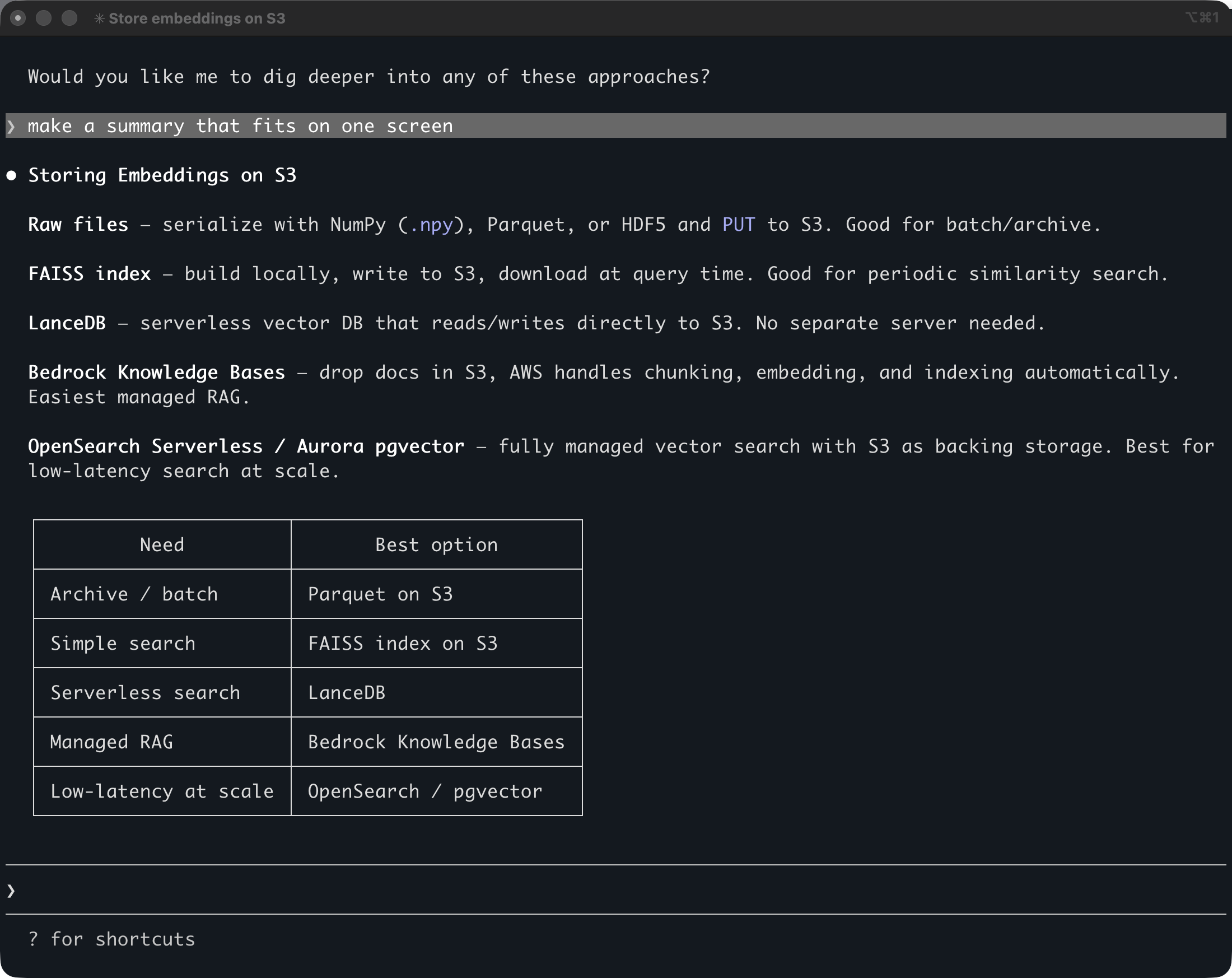
Opus 4.6 has a knowledge cutoff date in May 2025. It means it doesn’t know anything that happened after May last year. I ask a question about an AWS service that was introduced recently: Amazon S3 Vectors, launched in preview in July 2025 and that went GA in December 2025.
The question is “how to store embedding on S3″. (embedding is a kind of vector)
It gives me five solutions, all correct, but none using S3 Vectors as I asked. Note that this answer comes from the Opus 4.6 model, not from Claude Code. Any AI tool using the same model will return similar answers because S3 Vectors wasn’t announced at the time the model was trained.
Let’s now try with the AWS MCP Server.
The AWS MCP Server uses AWS Identity and Access Management (IAM) and IAM SigV4 authentication. To use my local AWS credentials configuration over MCP, which only supports OAuth 2.1, I configure my AI coding agent to call the AWS MCP Server through a proxy. The MCP Proxy for AWS is an open source proxy that runs on my machine and bridges the world of IAM authentication to OAuth.
I add the MCP configuration with this command:
claude mcp add-json aws-mcp --scope user \
   '{"command":"uvx","args":["mcp-proxy-for-aws@latest","https://aws-mcp.us-east-1.api.aws/mcp","--metadata","AWS_REGION=us-west-2"]}'
Let’s analyze the JSON configuration:
- I use the user scope to make the server available to all my projects on my laptop.
uvx mcp-proxy-for-awsis the command to launch the proxy; the rest of the arguments are parameters passed to the proxy.https://aws-mcp.us-east-1.api.aws/mcpis one of the two regional endpoints for the AWS MCP Server. The proxy will forward Claude Code’s requests to that endpoint.--metadataare passed to the proxy target. Here, it tells the AWS MCP Server to use the US West (Oregon) Region.
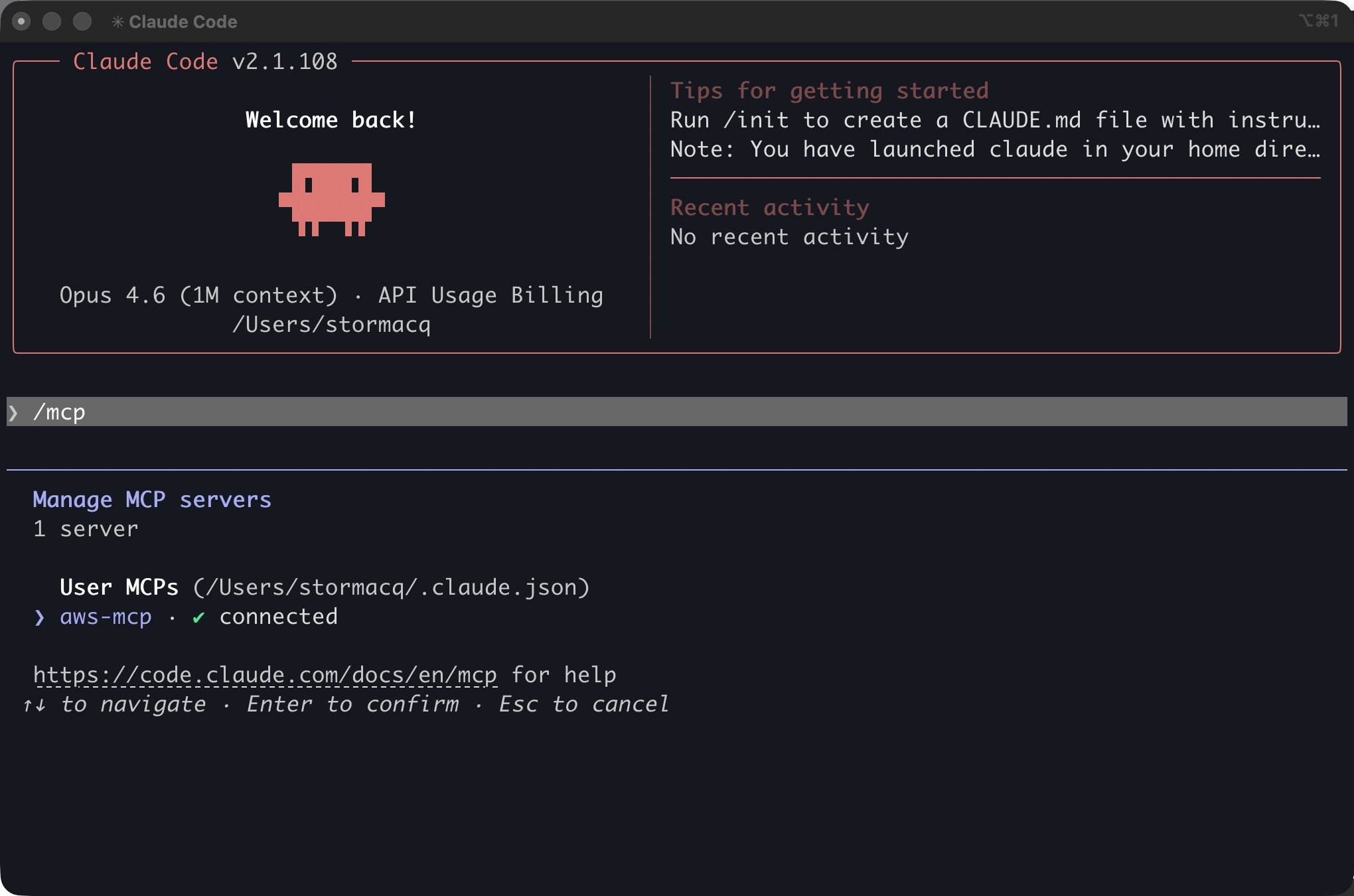
I start Claude Code and I type /mcp to verify the AWS MCP Server is correctly installed and can use my credentials.
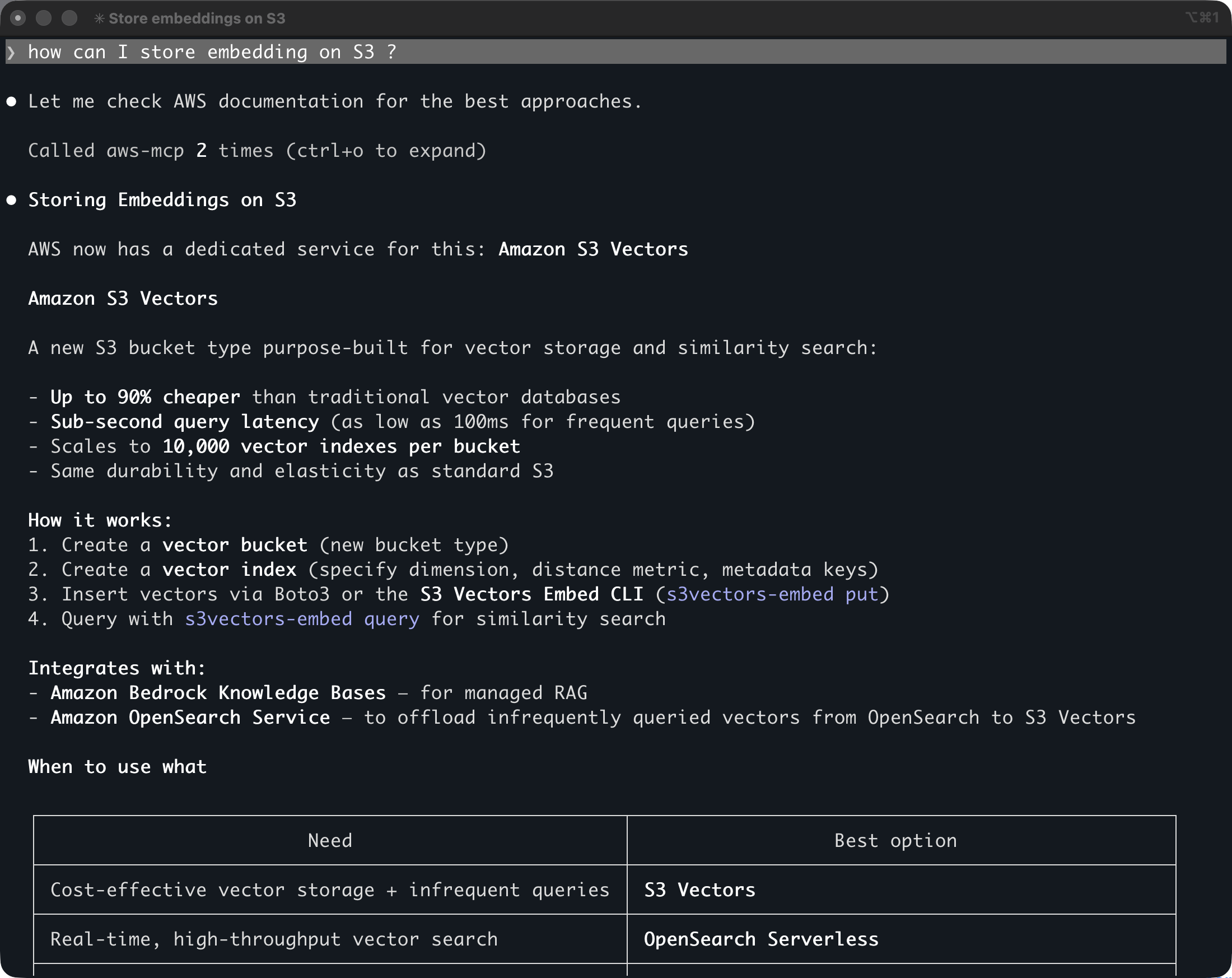
I ask the same question: “how can I store embedding on S3”.
This time, Claude Code knows it has a tool it can use to answer the question. It asks me permission to invoke the aws___search_documentation tool. After a few seconds, I receive a correct answer: “AWS now has a dedicated service for this: Amazon S3 Vectors …”
Pricing and availability
The AWS MCP Server is available today in the US East (N. Virginia) and Europe (Frankfurt) AWS Regions and can make API calls to any Region. There is no additional charge for the AWS MCP server itself. You pay only for the AWS resources you create and any applicable data transfer costs.
The AWS MCP Server works with Claude Code, Kiro, Cursor, and any MCP-compatible client. To get started, see the AWS MCP Server User Guide.
I have been waiting for something like this since I started using MCP tools in my AI agents early last year. The combination of current documentation, authenticated API access, and sandboxed script execution in a single server changes what an agent can actually do on AWS. I am curious what you build with it. Let me know in the comments.
— sebfrom AWS News Blog https://ift.tt/hnGPIXB
via IFTTT